Skip to login Skip to content
Developer Cybersource Logo

Getting started

Find tailored resources to help you kickstart your integration

APIs

Use our live console to test and start building with our APIs


Accept payments

Online or In-person payment acceptance made easy

Technology partners

Register to get onboard our sandbox environment as a Tech Partner or explore our pre-built integrations

Explore Products

Explore the platform’s products by use case, with comprehensive content and curated resources to support and accelerate your integration journey.

Intelligent Commerce

Access unified APIs for secure, cross-network agent-initiated payments enabling seamless onboarding, card enrollment, transaction management and more.


Resources

Create seamless,scalable payment experiences with interactive tools and detailed documentatio


API Reference

Use our live console to test and start building with our APIs


SDKs

Get pre-built samples to build or customize your integrations to fit your business needs

Documentation hub

Explore developer guides and best practices for integration with our platform

Testing

Signup for sandbox and use testing resources before going live

Sandbox

Create a sandbox to test our APIs


Testing guide

Guide with sandbox testing instructions and processor specific testing trigger data

Response codes

Understand all different error codes that REST API responds with


Support

Find resources and guidance to build,test and deploy on our platform

Frequently asked questions

Find answers to commonly-asked questions about our APIs and platform

Contact us

Connect with our team of experts to troubleshoot or go-live to Production

Merchant Sandbox

Contact us

Menu
API Overview
  • Acceptance Devices | PAX Acceptance Devices App Integration Guide
    • Recent Revisions to This Document
    • VISA Platform Connect: Specifications and Conditions for Resellers/Partners
  • Introduction to Acceptance Devices | PAX Acceptance Devices App
  • Terminals Supported by the PAX Acceptance Devices App
  • Transaction Workflow for the PAX Acceptance Devices App
  • Getting Started with the Acceptance Devices App
    • Set Up a PAX Terminal
    • Load Paper in the PAX Terminal with an Integrated Printer
    • Activating a Terminal in the Acceptance Devices App
      • Generate a Terminal Activation Code in the Business Center
      • Generate a Terminal Activation Code Using a REST API Request
        • Required Fields for Generating a Terminal Activation Code
        • REST Example: Generating a Terminal Activation Code
      • Enter an Activation Code in the Acceptance Devices App
    • Getting Started with the Acceptance Devices App Server
      • Start the Acceptance Devices App Server
    • Customizing the Acceptance Devices App
      • Customizable User Interface Parameters
      • Customizable Common Parameters
      • Customizable Local Mode Parameters
      • Customizable Standalone Mode Parameters
      • Customize Parameters in the Business Center
      • Retrieve Parameters Using a REST API Request
        • Required Fields to Retrieve Parameters Using a REST API Request
        • REST Example: Retrieve Parameters Using a REST API Request
      • Customize Parameters Using a REST API Request
        • Required Fields for Customizing Parameters Using a REST API Request
        • REST Example: Customizing Parameters Using a REST API Request
  • Local Mode Payment Services
    • Communication Protocol Used in Local Mode
    • Retrieving the Root CA Certificate
      • Retrieve the Root CA Certificate in the Business Center
      • Retrieve the Root CA Certificate Using a REST API Request
        • Required Fields to Retrieve the Root CA Certificate Using a REST API Request
        • REST Example: Retrieve the Root CA Certificate Using a REST API Request
    • Activating a Secure mTLS Connection
      • Generate a POS Connection Code for the Point-of-Sale System
      • Request Certificates for the Point-of-Sale System
        • Required Fields to Request Certificates for the Point-of-Sale System
        • REST Example: Request Certificates for the Point-of-Sale System
    • Implementing Hostname Validation in Local Mode
    • Sale
      • Required Fields for a Sale
      • REST Example: Sale
    • Refund
      • Required Fields for a Refund
      • Optional Fields for a Refund
      • REST Example: Refund
    • Stand-Alone Credit
      • Required Fields for a Stand-Alone Credit
      • REST Example: Stand-Alone Credit
    • Request a Check Transaction Status
      • Required Fields to Request a Check Transaction Status
      • REST Example: Request a Check Transaction Status
    • Cancel Transaction
      • Required Fields to Cancel Transaction
      • REST Example: Cancel Transaction
    • Sale with On-Reader Tipping
      • Required Fields for a Sale with On-Reader Tipping
      • REST Example: Sale with On-Reader Tipping
    • Sale with On-Receipt Tipping
      • Required Fields for a Sale with On-Receipt Tipping
      • REST Example: Sale with On-Receipt Tipping
      • Tip Adjust
        • Required Fields for a Tip Adjust
        • REST Example: Tip Adjust
    • Token Refund
      • Required Fields for a Token Refund
      • REST Example: Token Refund
    • Pre-Authorization
      • Required Fields for a Pre-Authorization
      • REST Example: Pre-Authorization
    • Incremental Authorization
      • Required Fields for an Incremental Authorization
      • REST Example: Incremental Authorization
    • Capture
      • Required Fields for a Capture
      • Optional Fields for a Capture
      • REST Example: Capture
    • Mail Order or Telephone Order
      • Required Fields for Mail Order or Telephone Order
      • Optional Fields for Mail Order or Telephone Order
      • REST Example: Mail Order or Telephone Order Sale
    • Account Verification
      • Required Fields for an Account Verification
      • REST Example: Account Verification
    • Offline Transactions
      • Enable or Disable Offline Mode
      • Offline Sale
        • Required Fields for an Offline Sale
        • REST Example: Offline Sale
      • Offline Refund
      • Submit an Offline Transactions Batch for Authorization
    • Cashback
      • Required Fields for a Cashback
      • REST Example: Cashback
    • Sale with Installment Details
      • Required Fields for a Sale with Installment Details
      • Optional Fields for a Sale with Installment Details
      • REST Example: Sale with Installment Details
    • Sale with Payment Facilitator Details
      • Required Fields for a Sale with Payment Facilitator Details
      • Optional Fields for a Sale with Payment Facilitator Details
      • REST Example: Sale with Payment Facilitator Details
    • Sale with Tax Details
      • Required Fields for a Sale with Tax Details
      • Optional Fields for a Sale with Tax Details
      • REST Example: Sale with Tax Details
    • Electronic Benefits Transfer
      • Required Fields for Electronic Benefits Transfer
      • Optional Fields for Electronic Benefits Transfer
      • REST Example: Electronic Benefits Transfer SNAP Sale
    • Custom Card Read
      • Required Fields to Perform a Custom Card Read
      • REST Example: Custom Card Read
    • Printing a Customer or Merchant Receipt
      • Required Fields to Print a Customer or Merchant Receipt
      • REST Example: Print a Customer or Merchant Receipt
  • Cloud Mode Payment Services
    • Communication Protocol Used in Cloud Mode
    • Generating a Bearer Token for Authentication
      • Generate a Bearer Token for Authentication
    • Sale
      • Required Fields for a Sale
      • REST Example: Sale
    • Refund
      • Required Fields for a Refund
      • Optional Fields for a Refund
      • REST Example: Refund
    • Stand-Alone Credit
      • Required Fields for a Stand-Alone Credit
      • REST Example: Stand-Alone Credit
    • Requesting a Check Transaction Status
      • Required Fields to Request a Check Transaction Status
      • REST Example: Request a Check Transaction Status
    • Cancel Transaction
      • Required Fields to Cancel Transaction
      • REST Example: Cancel Transaction
    • Sale with On-Reader Tipping
      • Required Fields for a Sale with On-Reader Tipping
      • REST Example: Sale with On-Reader Tipping
    • Sale with On-Receipt Tipping
      • Required Fields for a Sale with On-Receipt Tipping
      • REST Example: Sale with On-Receipt Tipping
      • Tip Adjust
        • Required Fields for a Tip Adjust
        • REST Example: Tip Adjust
    • Token Refund
      • Required Fields for a Token Refund
      • REST Example: Token Refund
    • Pre-Authorization
      • Required Fields for a Pre-Authorization
      • REST Example: Pre-Authorization
    • Incremental Authorization
      • Required Fields for an Incremental Authorization
      • REST Example: Incremental Authorization
    • Capture
      • Required Fields for a Capture
      • Optional Fields for a Capture
      • REST Example: Capture
    • Mail Order or Telephone Order
      • Required Fields for Mail Order or Telephone Order
      • Optional Fields for Mail Order or Telephone Order
      • REST Example: Mail Order or Telephone Order Sale
    • Account Verification
      • Required Fields for an Account Verification
      • REST Example: Account Verification
    • Cashback
      • Required Fields for a Cashback
      • REST Example: Cashback
    • Sale with Installment Details
      • Required Fields for a Sale with Installment Details
      • Optional Fields for a Sale with Installment Details
      • REST Example: Sale with Installment Details
    • Sale with Payment Facilitator Details
      • Required Fields for a Sale with Payment Facilitator Details
      • Optional Fields for a Sale with Payment Facilitator Details
      • REST Example: Sale with Payment Facilitator Details
    • Sale with Tax Details
      • Required Fields for a Sale with Tax Details
      • Optional Fields for a Sale with Tax Details
      • REST Example: Sale with Tax Details
    • Receiving Transaction Responses Asynchronously
      • Receive Transaction Responses Asynchronously
      • REST Example: Receive Transaction Responses Asynchronously
      • Check Transaction Events
        • Required Fields to Check Transaction Events
        • REST Example: Check Transaction Events
    • Electronic Benefits Transfer
      • Required Fields for Electronic Benefits Transfer
      • Optional Fields for Electronic Benefits Transfer
      • REST Example: Electronic Benefits Transfer SNAP Sale
    • Custom Card Read
      • Required Fields for a Custom Card Read
      • REST Example: Custom Card Read
    • Printing a Customer or Merchant Receipt
      • Required Fields to Print a Customer or Merchant Receipt
      • REST Example: Print a Customer or Merchant Receipt
  • Standalone Mode Payment Services
    • Enable Standalone Mode in the Acceptance Devices App
    • Sale
    • Refund
    • Stand-Alone Credit
    • Sale with On-Reader Tipping
    • Pre-Authorization
    • Capture
    • Mail Order or Telephone Order Sale
    • Account Verification
    • Offline Transactions
      • Enable or Disable Offline Mode
      • Offline Sale
      • Offline Refund
      • Submit an Offline Transactions Batch for Authorization
    • Sale with Installment Details
    • Sale with Tax Details
    • Print a Customer or Merchant Receipt
    • Email a Customer Receipt
  • Release Notes for PAX Acceptance Devices App
    • Acceptance Devices App Version 1.17.0 Release Notes
      • New Features
      • Improvements
      • Fixed Issues
    • Acceptance Devices App Version 1.16.0 Release Notes
      • Improvements
      • Fixed Issues
    • Acceptance Devices App Version 1.15.0 Release Notes
      • New Features
      • Improvements
      • Fixed Issues
    • Acceptance Devices App Version 1.14.0 Release Notes
      • New Features
      • Improvements
    • Archive of Release Notes
      • Acceptance Devices App Version 1.13.0 Release Notes
        • Improvements
      • Acceptance Devices App Version 1.12.0 Release Notes
        • Improvements
      • Acceptance Devices App Version 1.11.0 Release Notes
        • Improvements
        • Fixed Issues
      • Acceptance Devices App Version 1.10.0 Release Notes
        • New Features
        • Improvements
      • Acceptance Devices App Version 1.9.0 Release Notes
        • New Features
        • Improvements
      • Acceptance Devices App Version 1.8.0 Release Notes
        • Improvements
        • Fixed Issues
      • Acceptance Devices App Version 1.7.0 Release Notes
        • New Features
        • Improvements
        • Fixed Issues
      • Acceptance Devices App Version 1.6.0 Release Notes
        • Improvements
      • Acceptance Devices App Version 1.5.0 Release Notes
        • New Features
        • Improvements
        • Fixed Issues
      • Acceptance Devices App Version 1.4.0 Release Notes
        • New Features
        • Improvements
        • Fixed Issues
      • Acceptance Devices App Version 1.3.0 Release Notes
        • New Features
        • Improvements
        • Fixed Issues
      • Acceptance Devices App Version 1.2.0 Release Notes
        • Improvements
        • Fixed Issues
      • Acceptance Devices App Version 1.1.0 Release Notes
        • New Features
  • Documentation hub
  • Sis-pax
  • Acceptance Devices | PAX Acceptance Devices App Integration Guide
    • Recent Revisions to This Document
    • VISA Platform Connect: Specifications and Conditions for Resellers/Partners
  • Introduction to Acceptance Devices | PAX Acceptance Devices App
  • Terminals Supported by the PAX Acceptance Devices App
  • Transaction Workflow for the PAX Acceptance Devices App
  • Getting Started with the Acceptance Devices App
    • Set Up a PAX Terminal
    • Load Paper in the PAX Terminal with an Integrated Printer
    • Activating a Terminal in the Acceptance Devices App
      • Generate a Terminal Activation Code in the Business Center
      • Generate a Terminal Activation Code Using a REST API Request
        • Required Fields for Generating a Terminal Activation Code
        • REST Example: Generating a Terminal Activation Code
      • Enter an Activation Code in the Acceptance Devices App
    • Getting Started with the Acceptance Devices App Server
      • Start the Acceptance Devices App Server
    • Customizing the Acceptance Devices App
      • Customizable User Interface Parameters
      • Customizable Common Parameters
      • Customizable Local Mode Parameters
      • Customizable Standalone Mode Parameters
      • Customize Parameters in the Business Center
      • Retrieve Parameters Using a REST API Request
        • Required Fields to Retrieve Parameters Using a REST API Request
        • REST Example: Retrieve Parameters Using a REST API Request
      • Customize Parameters Using a REST API Request
        • Required Fields for Customizing Parameters Using a REST API Request
        • REST Example: Customizing Parameters Using a REST API Request
  • Local Mode Payment Services
    • Communication Protocol Used in Local Mode
    • Retrieving the Root CA Certificate
      • Retrieve the Root CA Certificate in the Business Center
      • Retrieve the Root CA Certificate Using a REST API Request
        • Required Fields to Retrieve the Root CA Certificate Using a REST API Request
        • REST Example: Retrieve the Root CA Certificate Using a REST API Request
    • Activating a Secure mTLS Connection
      • Generate a POS Connection Code for the Point-of-Sale System
      • Request Certificates for the Point-of-Sale System
        • Required Fields to Request Certificates for the Point-of-Sale System
        • REST Example: Request Certificates for the Point-of-Sale System
    • Implementing Hostname Validation in Local Mode
    • Sale
      • Required Fields for a Sale
      • REST Example: Sale
    • Refund
      • Required Fields for a Refund
      • Optional Fields for a Refund
      • REST Example: Refund
    • Stand-Alone Credit
      • Required Fields for a Stand-Alone Credit
      • REST Example: Stand-Alone Credit
    • Request a Check Transaction Status
      • Required Fields to Request a Check Transaction Status
      • REST Example: Request a Check Transaction Status
    • Cancel Transaction
      • Required Fields to Cancel Transaction
      • REST Example: Cancel Transaction
    • Sale with On-Reader Tipping
      • Required Fields for a Sale with On-Reader Tipping
      • REST Example: Sale with On-Reader Tipping
    • Sale with On-Receipt Tipping
      • Required Fields for a Sale with On-Receipt Tipping
      • REST Example: Sale with On-Receipt Tipping
      • Tip Adjust
        • Required Fields for a Tip Adjust
        • REST Example: Tip Adjust
    • Token Refund
      • Required Fields for a Token Refund
      • REST Example: Token Refund
    • Pre-Authorization
      • Required Fields for a Pre-Authorization
      • REST Example: Pre-Authorization
    • Incremental Authorization
      • Required Fields for an Incremental Authorization
      • REST Example: Incremental Authorization
    • Capture
      • Required Fields for a Capture
      • Optional Fields for a Capture
      • REST Example: Capture
    • Mail Order or Telephone Order
      • Required Fields for Mail Order or Telephone Order
      • Optional Fields for Mail Order or Telephone Order
      • REST Example: Mail Order or Telephone Order Sale
    • Account Verification
      • Required Fields for an Account Verification
      • REST Example: Account Verification
    • Offline Transactions
      • Enable or Disable Offline Mode
      • Offline Sale
        • Required Fields for an Offline Sale
        • REST Example: Offline Sale
      • Offline Refund
      • Submit an Offline Transactions Batch for Authorization
    • Cashback
      • Required Fields for a Cashback
      • REST Example: Cashback
    • Sale with Installment Details
      • Required Fields for a Sale with Installment Details
      • Optional Fields for a Sale with Installment Details
      • REST Example: Sale with Installment Details
    • Sale with Payment Facilitator Details
      • Required Fields for a Sale with Payment Facilitator Details
      • Optional Fields for a Sale with Payment Facilitator Details
      • REST Example: Sale with Payment Facilitator Details
    • Sale with Tax Details
      • Required Fields for a Sale with Tax Details
      • Optional Fields for a Sale with Tax Details
      • REST Example: Sale with Tax Details
    • Electronic Benefits Transfer
      • Required Fields for Electronic Benefits Transfer
      • Optional Fields for Electronic Benefits Transfer
      • REST Example: Electronic Benefits Transfer SNAP Sale
    • Custom Card Read
      • Required Fields to Perform a Custom Card Read
      • REST Example: Custom Card Read
    • Printing a Customer or Merchant Receipt
      • Required Fields to Print a Customer or Merchant Receipt
      • REST Example: Print a Customer or Merchant Receipt
  • Cloud Mode Payment Services
    • Communication Protocol Used in Cloud Mode
    • Generating a Bearer Token for Authentication
      • Generate a Bearer Token for Authentication
    • Sale
      • Required Fields for a Sale
      • REST Example: Sale
    • Refund
      • Required Fields for a Refund
      • Optional Fields for a Refund
      • REST Example: Refund
    • Stand-Alone Credit
      • Required Fields for a Stand-Alone Credit
      • REST Example: Stand-Alone Credit
    • Requesting a Check Transaction Status
      • Required Fields to Request a Check Transaction Status
      • REST Example: Request a Check Transaction Status
    • Cancel Transaction
      • Required Fields to Cancel Transaction
      • REST Example: Cancel Transaction
    • Sale with On-Reader Tipping
      • Required Fields for a Sale with On-Reader Tipping
      • REST Example: Sale with On-Reader Tipping
    • Sale with On-Receipt Tipping
      • Required Fields for a Sale with On-Receipt Tipping
      • REST Example: Sale with On-Receipt Tipping
      • Tip Adjust
        • Required Fields for a Tip Adjust
        • REST Example: Tip Adjust
    • Token Refund
      • Required Fields for a Token Refund
      • REST Example: Token Refund
    • Pre-Authorization
      • Required Fields for a Pre-Authorization
      • REST Example: Pre-Authorization
    • Incremental Authorization
      • Required Fields for an Incremental Authorization
      • REST Example: Incremental Authorization
    • Capture
      • Required Fields for a Capture
      • Optional Fields for a Capture
      • REST Example: Capture
    • Mail Order or Telephone Order
      • Required Fields for Mail Order or Telephone Order
      • Optional Fields for Mail Order or Telephone Order
      • REST Example: Mail Order or Telephone Order Sale
    • Account Verification
      • Required Fields for an Account Verification
      • REST Example: Account Verification
    • Cashback
      • Required Fields for a Cashback
      • REST Example: Cashback
    • Sale with Installment Details
      • Required Fields for a Sale with Installment Details
      • Optional Fields for a Sale with Installment Details
      • REST Example: Sale with Installment Details
    • Sale with Payment Facilitator Details
      • Required Fields for a Sale with Payment Facilitator Details
      • Optional Fields for a Sale with Payment Facilitator Details
      • REST Example: Sale with Payment Facilitator Details
    • Sale with Tax Details
      • Required Fields for a Sale with Tax Details
      • Optional Fields for a Sale with Tax Details
      • REST Example: Sale with Tax Details
    • Receiving Transaction Responses Asynchronously
      • Receive Transaction Responses Asynchronously
      • REST Example: Receive Transaction Responses Asynchronously
      • Check Transaction Events
        • Required Fields to Check Transaction Events
        • REST Example: Check Transaction Events
    • Electronic Benefits Transfer
      • Required Fields for Electronic Benefits Transfer
      • Optional Fields for Electronic Benefits Transfer
      • REST Example: Electronic Benefits Transfer SNAP Sale
    • Custom Card Read
      • Required Fields for a Custom Card Read
      • REST Example: Custom Card Read
    • Printing a Customer or Merchant Receipt
      • Required Fields to Print a Customer or Merchant Receipt
      • REST Example: Print a Customer or Merchant Receipt
  • Standalone Mode Payment Services
    • Enable Standalone Mode in the Acceptance Devices App
    • Sale
    • Refund
    • Stand-Alone Credit
    • Sale with On-Reader Tipping
    • Pre-Authorization
    • Capture
    • Mail Order or Telephone Order Sale
    • Account Verification
    • Offline Transactions
      • Enable or Disable Offline Mode
      • Offline Sale
      • Offline Refund
      • Submit an Offline Transactions Batch for Authorization
    • Sale with Installment Details
    • Sale with Tax Details
    • Print a Customer or Merchant Receipt
    • Email a Customer Receipt
  • Release Notes for PAX Acceptance Devices App
    • Acceptance Devices App Version 1.17.0 Release Notes
      • New Features
      • Improvements
      • Fixed Issues
    • Acceptance Devices App Version 1.16.0 Release Notes
      • Improvements
      • Fixed Issues
    • Acceptance Devices App Version 1.15.0 Release Notes
      • New Features
      • Improvements
      • Fixed Issues
    • Acceptance Devices App Version 1.14.0 Release Notes
      • New Features
      • Improvements
    • Archive of Release Notes
      • Acceptance Devices App Version 1.13.0 Release Notes
        • Improvements
      • Acceptance Devices App Version 1.12.0 Release Notes
        • Improvements
      • Acceptance Devices App Version 1.11.0 Release Notes
        • Improvements
        • Fixed Issues
      • Acceptance Devices App Version 1.10.0 Release Notes
        • New Features
        • Improvements
      • Acceptance Devices App Version 1.9.0 Release Notes
        • New Features
        • Improvements
      • Acceptance Devices App Version 1.8.0 Release Notes
        • Improvements
        • Fixed Issues
      • Acceptance Devices App Version 1.7.0 Release Notes
        • New Features
        • Improvements
        • Fixed Issues
      • Acceptance Devices App Version 1.6.0 Release Notes
        • Improvements
      • Acceptance Devices App Version 1.5.0 Release Notes
        • New Features
        • Improvements
        • Fixed Issues
      • Acceptance Devices App Version 1.4.0 Release Notes
        • New Features
        • Improvements
        • Fixed Issues
      • Acceptance Devices App Version 1.3.0 Release Notes
        • New Features
        • Improvements
        • Fixed Issues
      • Acceptance Devices App Version 1.2.0 Release Notes
        • Improvements
        • Fixed Issues
      • Acceptance Devices App Version 1.1.0 Release Notes
        • New Features
On This Page
Markdown

Payment Terminals Supported by the PAX Acceptance Devices App

The PAX Acceptance Devices App supports these PAX terminals.
Portable
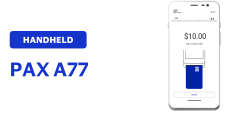
Acceptance Devices | PAX A77 Terminal
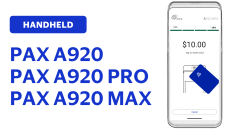
Acceptance Devices | PAX A920 Terminal
Acceptance Devices | PAX AA920 MAX Terminal
Acceptance Devices | PAX A920 PRO Terminal
Countertop
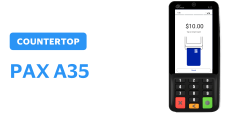
Acceptance Devices | PAX A35 Terminal
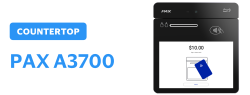
Acceptance Devices | PAX A3700 Terminal
Unattended
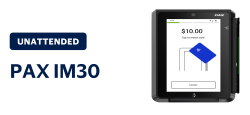
Acceptance Devices | PAX IM30 MAX Terminal
Previous topic
Next topic
Back to top

Cookie Preferences

Privacy notice

Your privacy rights

© 2021 Cybersource. All rights reserved. All brand names and logos are the property of their respective owners, are used for identification purposes only, and do not imply product endorsement or affiliation with Cybersource.