On This Page
Enabling Pay by Link for New Merchants in the Business Center
Pay by Link
for New Merchants in the Business Center
- Add a new merchant:Begin by adding the new merchant to the system. Ensure all required details are correctly provided.
- Select boarding type:Choose the appropriate boarding type based on the merchant's requirements.
- Complete merchant information form:Complete the merchant information form with all of the relevant details.
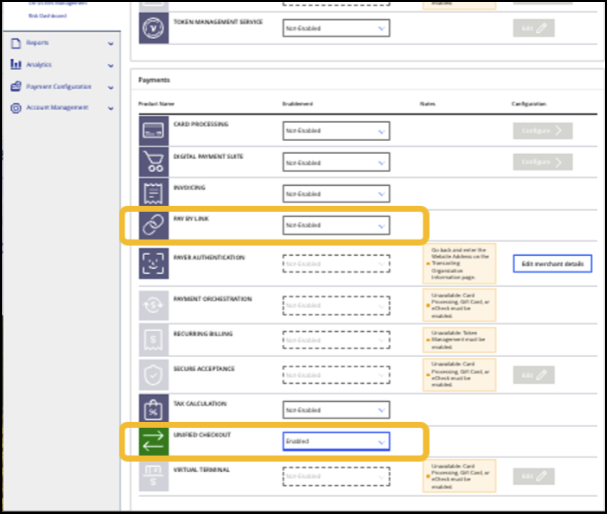
- Enable Unified Checkout:Activate Unified Checkout to streamline the payment process.
- ActivateEnablePay by Link:Pay by Linkto allow the merchant to start generating payment links.
To add
Pay by Link
to a boarding package,
work with your account manager.