On This Page
Refunding a Payment Workflow
This workflow illustrates the process of issuing a refund.
Figure:
Refund Workflow
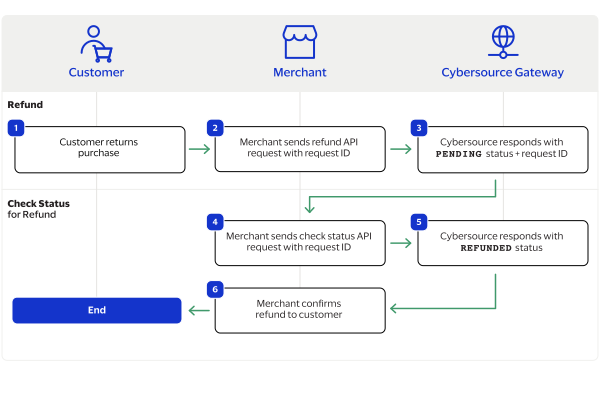
- The customer returns a purchase to the merchant.
- You request a refund and includes the capture request ID or sale request ID. For more information, see Refund a Payment.
- Cybersourceresponds with aPENDINGstatus and a refund request ID.
- You request a check status with the refund request ID. For more information, see Check Status for a Transaction.
- Cybersourceresponds with aREFUNDEDstatus.
- You display a refund confirmation to the customer.